
Garage doors make life convenient—but sometimes, your garage door opener might stop working properly, leaving you frustrated. Whether it’s unresponsive controls, lost settings, or a remote that won’t sync, knowing how to reset a garage door opener can save you time and prevent unnecessary service calls.
In this guide, we will cover everything you need, from safety tips to step-by-step instructions, including troubleshooting tips and maintenance suggestions.
Why You Might Need to Reset Your Garage Door Opener
Unresponsive remote control – Sometimes the remote stops communicating with the opener.
Power outages or surges – Electrical interruptions can reset or confuse the system.
Lost codes or settings – Modern openers use rolling codes for security, and these may need to be reprogrammed.
Obstruction or sensor problems – Safety sensors may prevent operation and require a system reset.
Resetting your opener often resolves these issues quickly without needing a technician.
Safety First: Tips Before You Reset
Resetting a garage door opener may seem simple, but safety must come first. Always disconnect power, keep children and pets away, and wear protective gear like gloves and safety glasses. Before starting, manually check that the door moves smoothly to prevent accidents or damage during the reset process.
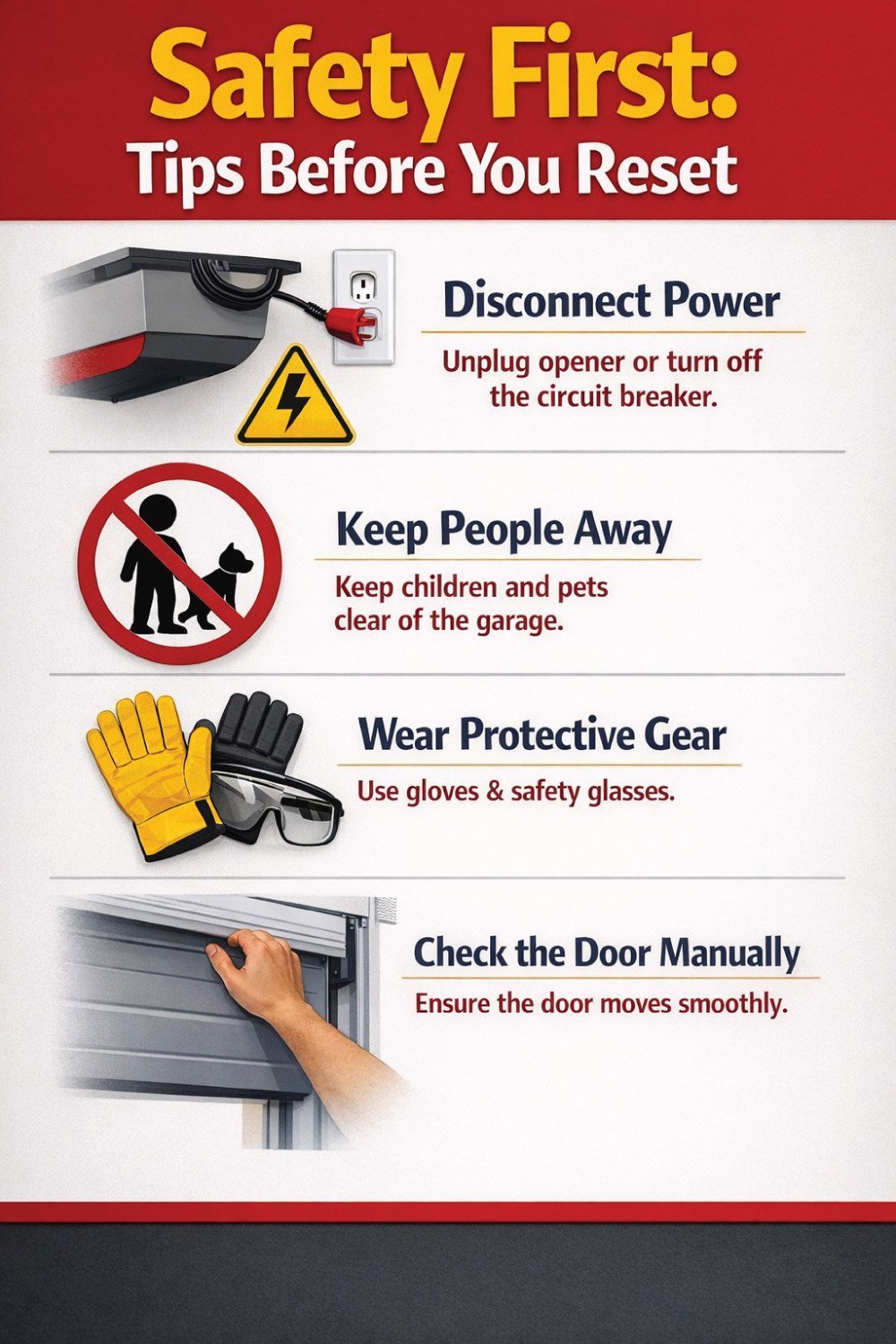
Disconnect power – Always unplug the opener or switch off the circuit breaker to avoid electrical shock.
Keep people away – Make sure pets and children are clear of the garage.
Wear protective gear – Gloves and safety glasses protect you from moving parts.
Check the door manually – Ensure the garage door moves smoothly by hand to prevent damage during reset.
Step-by-Step Guide to Resetting Your Garage Door Opener
Resetting your garage door opener restores functionality and ensures security for all remotes and keypads. By carefully locating the Learn button, clearing existing codes, reprogramming devices, and testing the system, you can maintain smooth, safe, and reliable operation. Following each step methodically prevents errors, protects your equipment, and keeps your garage door functioning efficiently.
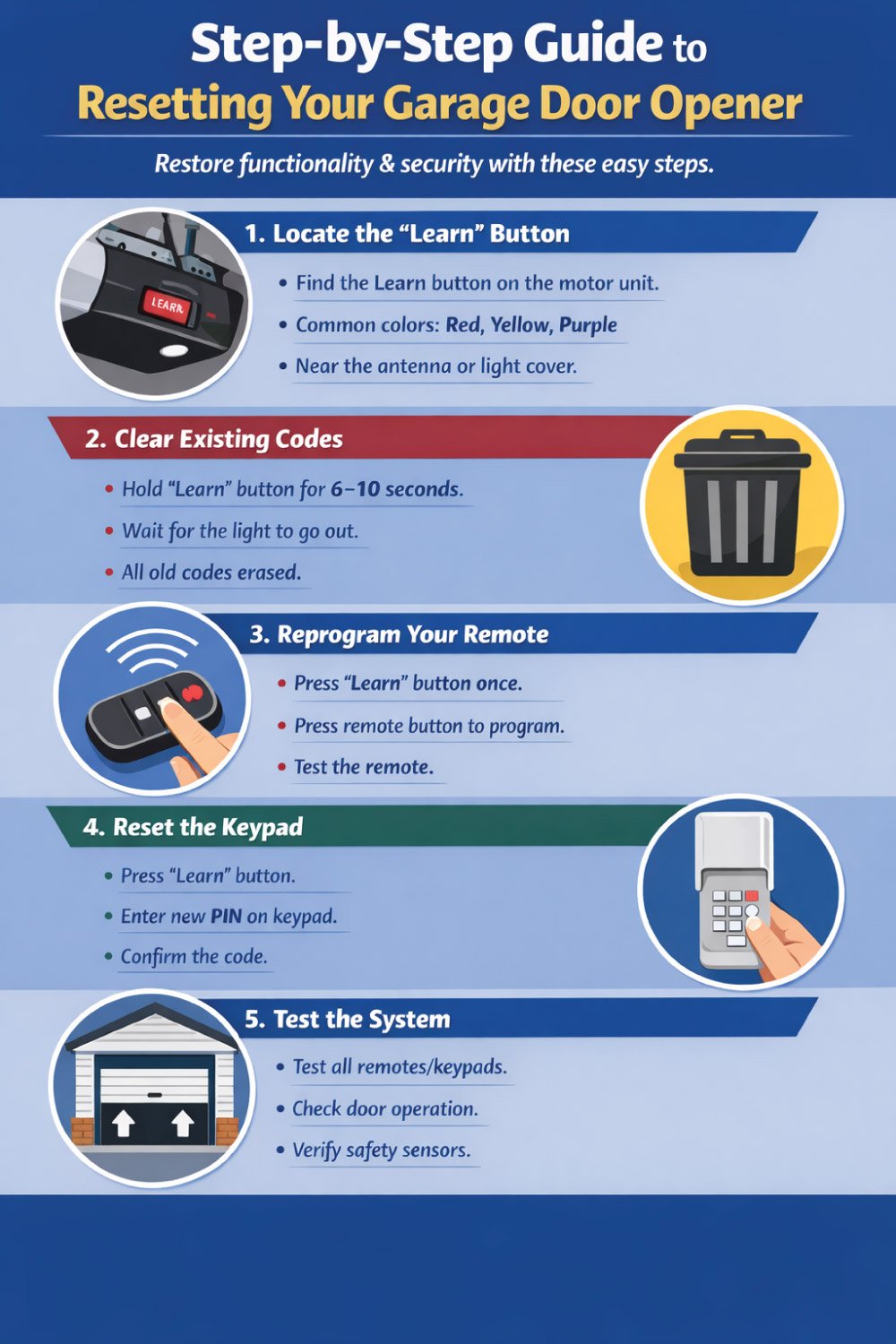
1. Locate the “Learn” or “Program” Button
The first step in resetting your garage door opener is finding the Learn or Program button on the motor unit. This button allows the opener to erase and accept new signals from remotes and keypads. It’s usually easy to spot once you know where to look, though placement and color can vary by manufacturer.
Key Points:
Look on the motor unit mounted to the ceiling.
Common button colors include red, orange, yellow, or purple.
Often located near the antenna wire or under a light cover.
2. Clear Existing Codes
To fully reset the system, all previously stored remote and keypad codes must be erased. This step prevents old or lost devices from accessing your garage. Clearing the codes creates a clean slate, ensuring that only newly programmed remotes and keypads will function afterward.
Key Points:
Press and hold the Learn button for 6–10 seconds.
Continue holding until the indicator light turns off.
This erases all remote and keypad codes.
All devices must be reprogrammed after this step.
3. Reprogram Your Remote
Once the old codes are cleared, you can reprogram your remote control. This process reconnects the remote to the opener using a new, secure signal. Timing is important, so be ready to press the remote button shortly after activating Learn mode.
Key Points:
Press the Learn button once; the indicator light will blink.
Press your chosen remote button within 30 seconds.
Release the button after the light confirms programming.
Test the remote immediately to confirm success.
4. Reset the Keypad (If Applicable)
If your garage uses a wireless keypad, it also needs to be reset and reprogrammed. This step restores secure entry using a personal access code. Proper keypad programming ensures convenient access without compromising garage security.
Key Points:
Press the Learn button on the motor unit.
Enter your PIN on the keypad and press Enter.
The garage door should move to confirm programming.
Repeat the process for any additional keypads.
5. Test the System
After reprogramming all devices, thoroughly test the entire system. This final check confirms that the reset was successful and that the garage door operates safely and smoothly. Testing helps identify sensor or alignment issues before regular use resumes.
Key Points:
Test all remotes and keypads individually.
Verify the door opens and closes smoothly.
Check that safety sensors are aligned and responsive.
Listen for unusual noises or irregular movement.
Garage Door Opener Reset Times by Brand
| Brand | Model Example | Learn Button Location | Reset Time |
|---|---|---|---|
| LiftMaster | 8550, 8160 | Motor housing under light | 6-10 sec |
| Chamberlain | B970, B550 | Back panel near antenna | 6-10 sec |
| Genie | SilentMax 1200 | Rear panel near light cover | 6-10 sec |
| Craftsman | 139.53764SRT | Side of motor unit | 6-10 sec |
| Wayne Dalton | WD3000, WD2000 | Under light or side panel | 6-10 sec |
Troubleshooting Common Reset Problems
Even after resetting a garage door opener, minor issues can occur with remotes, keypads, or the door itself. Understanding common problems and following simple troubleshooting steps ensures your system operates safely and reliably. Quick fixes can save time, prevent frustration, and avoid unnecessary service calls.
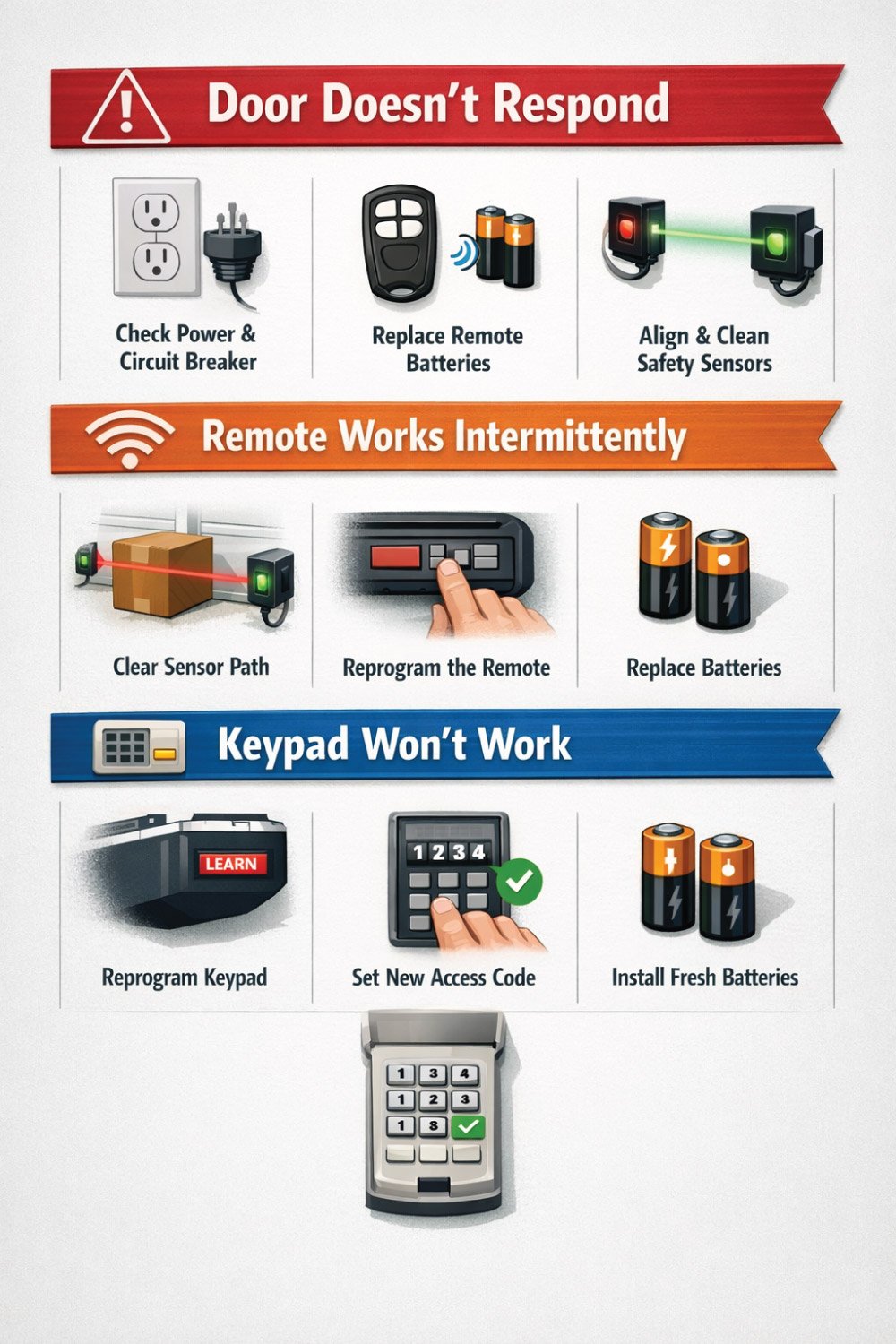
Problem 1: Door Doesn’t Respond
When your garage door doesn’t respond after a reset, the problem is usually related to power, sensor alignment, or the remote itself. These issues are common and can often be resolved with a few basic checks. Taking a systematic approach helps you identify the cause quickly and ensures the door operates safely and reliably again.
Key Points:
Check that the opener is plugged in and the circuit breaker hasn’t tripped.
Test or replace the remote control batteries.
Make sure the safety sensors are clean, aligned, and unobstructed.
Problem 2: Remote Works Intermittently
If your remote works only sometimes, the issue may involve weak signals, interference, or incomplete programming. Intermittent operation can be frustrating, but it’s usually easy to fix by addressing a few common causes that affect communication between the remote and the opener.
Key Points:
Remove any objects blocking the safety sensor beam.
Reprogram the remote following the manufacturer’s steps.
Replace weak or old batteries in the remote.
Problem 3: Keypad Won’t Work
A non-responsive keypad after a reset typically indicates a programming or battery issue. Since keypads rely on both correct code entry and power, ensuring both are set properly will restore secure and convenient access to your garage.
Key Points:
Reprogram the keypad using the Learn button on the opener.
Enter and confirm a new access code carefully.
Install fresh batteries to ensure consistent keypad performance.
👉 Struggling with misaligned garage door sensors? This complete guide shows you how to properly align sensors, fix common issues, and restore safe operation. Follow simple, step-by-step instructions to get your garage door working smoothly again. Don’t miss the full post for detailed tips and easy solutions! 🚪🔧
Quick Troubleshooting Checklist
This quick troubleshooting checklist helps resolve common garage door issues efficiently. From power problems and unresponsive remotes to misaligned sensors and mid-motion reversals, understanding potential causes and solutions allows you to address problems promptly. Using this table ensures your garage door operates safely, reliably, and without unnecessary delays or service calls.
| Issue | Possible Cause | Solution |
|---|---|---|
| Door won’t open/close | Power outage / unplugged | Plug in or check breaker |
| Remote unresponsive | Dead batteries / unprogrammed | Replace batteries & reprogram |
| Keypad not activating | Lost code / low battery | Reset & reprogram keypad |
| Safety sensors misaligned | Sensors blocked or moved | Realign sensors & clear obstacles |
| Garage door reverses mid-way | Obstruction or sensor issue | Remove obstruction & test sensors |
Maintenance Tips After Reset
To prevent future issues, follow these simple maintenance practices:
Lubricate moving parts – Hinges, rollers, and tracks should be lubricated every 6 months.
Clean sensors – Dirt can block the infrared sensor beam, preventing operation.
Check remote batteries – Replace yearly to avoid unresponsiveness.
Inspect springs and cables – Look for wear or fraying; replace if needed.
Test manual release – Pull the emergency cord occasionally to ensure it disengages smoothly.
When to Call a Professional
While many garage door issues can be resolved with a reset, certain problems require professional expertise. Broken springs, damaged cables, motor failures, frequent system errors, or persistent remote and sensor issues pose safety risks. Calling a qualified technician ensures repairs are done correctly, prevents further damage, and keeps your garage door operating safely and reliably.
Broken springs or cables
Motor failure or grinding noises
Frequent system errors or electrical surges
Persistent remote or sensor issues
Hiring a professional ensures safety and avoids costly garage door damage.
Conclusion
Resetting a garage door opener is a straightforward process that restores normal operation, ensures security, and can save you a service call. By following the steps outlined in this guide, you can:
Quickly locate the Learn button
Clear old codes and reprogram remotes/keypads
Troubleshoot common issues using the provided tables
Regular maintenance, proper battery replacement, and sensor checks will keep your garage door functioning smoothly for years. Whether you own a Lift Master, Chamberlain, Genie, Craftsman, or Wayne Dalton opener, these steps are universally applicable and help keep your home secure and convenient.
👉 Want to program your garage door opener quickly and safely? This guide walks you through simple, step-by-step instructions to sync your remote and fix common issues. Whether you’re a beginner or DIY enthusiast, this tutorial makes it easy. Don’t miss out—read the full post for complete details and expert tips! 🚪🔧

Engineer Ali Hasan is a garage door expert and the founder of FixFasty. With over 16 years of experience in mechanical systems and home maintenance, he provides practical, step-by-step guides on garage door installation, repairs, and maintenance, helping homeowners keep their garage doors safe, reliable, and long-lasting.