
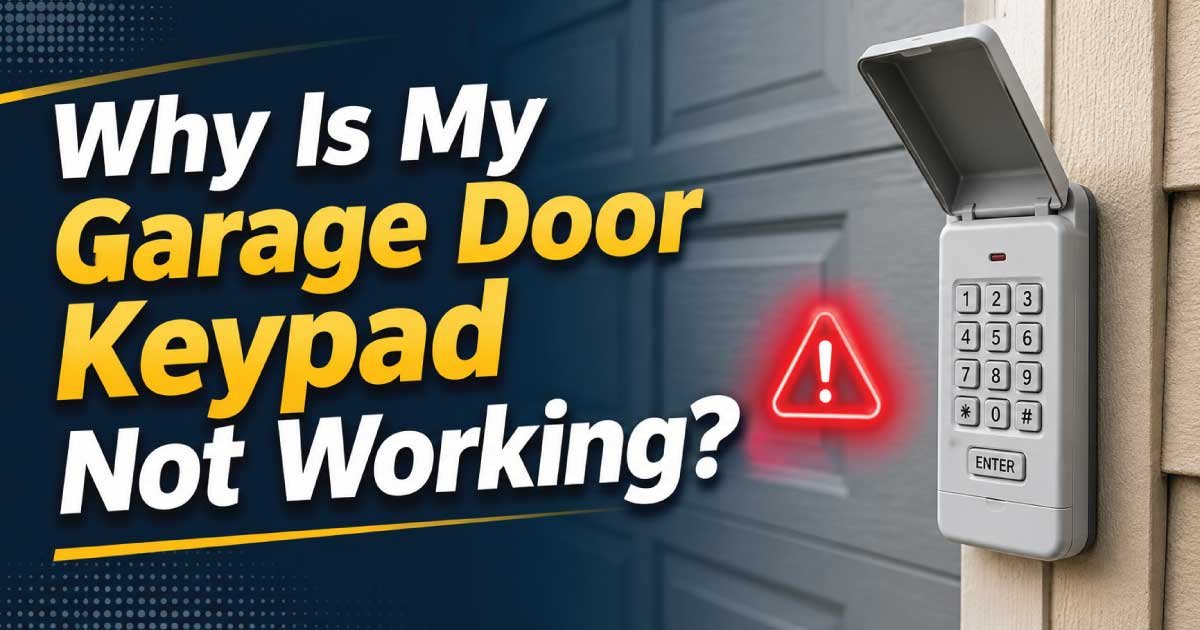
A garage door keypad is one of the most convenient ways to access your garage without carrying a remote or key. Whether you’re coming home after a walk, letting family members in, or providing temporary access to guests, a wireless keypad makes everyday life easier. But when it suddenly stops working, it can be frustrating and even leave you locked out.
If you’ve been asking yourself, “Why is my garage door keypad not working?”, don’t worry. Most keypad issues have simple causes and can often be fixed without calling a professional. In this guide, we’ll explain the most common reasons your garage door keypad may fail, how to troubleshoot the problem, and when it’s time to replace the keypad or contact an expert.
Common Reasons Your Garage Door Keypad Isn’t Working
There are several possible reasons why your garage door keypad has stopped responding. Some are minor and easy to fix, while others may require professional repair.
Let’s look at the most common causes.
1. Dead or Weak Batteries
The most common reason a wireless garage door keypad stops working is dead batteries.
Since the keypad is battery-powered, weak batteries may not provide enough power to send a signal to the garage door opener.
Signs of Battery Problems
- The keypad doesn’t light up.
- The LED appears dim.
- The garage door works with the remote but not the keypad.
- The keypad works intermittently.
How to Fix It
Replace the batteries with fresh ones recommended by the manufacturer. Most garage door keypads use either a 9-volt battery or AA/AAA batteries.
After replacing the batteries, test the keypad several times.
2. Incorrect PIN Code
Sometimes the issue isn’t the keypad itself but the code being entered.
Common mistakes include:
- Entering the wrong PIN
- Pressing buttons too quickly
- Accidentally changing the code
- Forgetting a recently updated PIN
If multiple incorrect attempts have been made, some garage door systems temporarily disable keypad access for security reasons.
Solution
Carefully re-enter the code.
If you recently changed it, use the updated PIN. If you’ve forgotten the code, you’ll need to reset and reprogram the keypad.
3. The Keypad Needs Reprogramming
Garage door keypads occasionally lose their programming due to:
- Power outages
- Battery replacement
- Electrical surges
- Resetting the garage door opener
When this happens, the keypad no longer communicates with the opener.
Solution
Follow your garage door opener manufacturer’s programming instructions.
Typically, you’ll:
- Press the “Learn” button on the opener.
- Enter your desired PIN.
- Press the Enter button.
- Wait for confirmation lights or sounds.
Each manufacturer uses slightly different programming steps.
4. Dirty or Worn Buttons
Garage door keypads are installed outdoors, exposing them to:
- Dust
- Dirt
- Rain
- Snow
- Sunlight
- Humidity
Over time, the buttons can become dirty or wear out.
Symptoms
- Some buttons don’t respond.
- You have to press hard.
- Certain numbers never register.
Solution
Clean the keypad using a soft cloth.
Avoid spraying cleaners directly onto the keypad.
If multiple buttons no longer work, replacing the keypad is usually the best solution.
5. Weather Damage
Extreme temperatures can affect keypad performance.
Winter Problems
Cold weather can:
- Drain batteries faster
- Freeze internal components
- Cause buttons to stick
Summer Problems
High temperatures can:
- Damage electronic circuits
- Fade rubber buttons
- Warp plastic housing
Moisture Issues
Rain or snow can seep inside damaged keypads, causing corrosion.
If weather damage has occurred, replacement is often necessary.
6. Signal Interference
Wireless keypads rely on radio frequency signals to communicate with the garage door opener.
Signal interference may come from:
- Wi-Fi routers
- LED lighting
- Baby monitors
- Nearby electronics
- Metal structures
Although uncommon, interference can reduce communication between the keypad and opener.
Solution
Move interfering devices if possible and test the keypad again.
7. Garage Door Opener Problems
If the keypad isn’t working, the actual problem may be with the garage door opener.
Signs include:
- The remote also fails.
- Wall control doesn’t work.
- The opener makes unusual noises.
- No lights appear on the opener.
Solution
Check:
- Power supply
- Circuit breaker
- GFCI outlet
- Power cord connection
If the opener has no power, restoring electricity may solve the issue.
8. Lock Mode Is Enabled
Many modern garage door openers have a vacation or lock mode.
When activated:
- Remote controls may stop working.
- Wireless keypads become disabled.
- Only the wall-mounted control operates.
Homeowners sometimes activate lock mode accidentally.
Solution
Press and hold the lock button on the wall control until the indicator light changes.
Then test the keypad again.
9. Damaged Wiring (For Wired Keypads)
Although most garage door keypads are wireless, some older systems use wired keypads.
Damaged wiring can result from:
- Rodents
- Water damage
- Loose connections
- Corrosion
Inspect visible wiring for obvious damage.
10. The Keypad Has Reached the End of Its Lifespan
Garage door keypads don’t last forever.
Most last between 10 and 15 years, depending on:
- Weather exposure
- Usage frequency
- Build quality
- Maintenance
If your keypad is over a decade old and experiencing repeated issues, replacement is often more cost-effective than repair.
Also Read:
Step-by-Step Troubleshooting Checklist
Before replacing your keypad, follow this simple troubleshooting process.
- Step 1
- Replace the batteries.
- Step 2
- Confirm you’re entering the correct PIN.
- Step 3
- Clean the keypad buttons.
- Step 4
- Inspect for visible damage.
- Step 5
- Check whether the garage door opener has power.
- Step 6
- Test your remote control.
- Step 7
- Disable lock mode if enabled.
- Step 8
- Reprogram the keypad.
- Step 9
- Reset the garage door opener if recommended by the manufacturer.
- Step 10
- Replace the keypad if none of the above solves the problem.
How to Reset a Garage Door Keypad
Although procedures vary by brand, the general process is similar.
- Locate the “Learn” button on your garage door opener.
- Press and release the Learn button.
- Within 30 seconds, enter a new PIN on the keypad.
- Press the Enter button.
- Wait for the opener light to blink or click.
- Test the new code.
Always consult your owner’s manual for model-specific instructions.
When Should You Replace the Keypad?
Sometimes repair simply isn’t worth the effort.
Consider replacing your keypad if:
- Buttons no longer respond.
- Water has entered the housing.
- The casing is cracked.
- Battery terminals are corroded.
- The keypad repeatedly loses programming.
- It’s more than 10 years old.
Modern replacement keypads offer improved security, longer battery life, weather-resistant designs, and easier programming.
Preventing Future Keypad Problems
A little maintenance can significantly extend the life of your garage door keypad.
Replace Batteries Annually
Don’t wait until the batteries die completely.
Changing them once a year helps prevent unexpected failures.
Keep the Keypad Clean
Regularly wipe away dirt, pollen, and debris.
Avoid harsh chemicals that could damage the buttons.
Protect It from Weather
If your keypad is exposed to direct rain or sunlight, consider installing a small weather cover.
Test It Monthly
Use the keypad periodically to ensure it’s functioning properly before an emergency arises.
Update Your PIN Occasionally
Changing your access code every few months improves security while helping you verify that the keypad programming is still functioning correctly.
Also Read:
When to Call a Professional
While many keypad issues can be resolved with simple troubleshooting, some problems require expert attention.
Contact a garage door technician if:
- The opener doesn’t respond to any controls.
- Electrical components appear damaged.
- Wiring needs repair.
- The keypad won’t program successfully.
- The garage door itself isn’t operating properly.
- Multiple components are failing simultaneously.
A professional can diagnose underlying issues, repair faulty equipment, and ensure your garage door system operates safely and reliably.
Frequently Asked Questions
Why does my garage door keypad light up but not open the door?
This usually indicates that the keypad has power but isn’t communicating with the garage door opener. The keypad may need to be reprogrammed, the opener could be in lock mode, or there may be signal interference.
Can cold weather stop my garage door keypad from working?
Yes. Extremely cold temperatures can weaken batteries, freeze internal components, and reduce the effectiveness of wireless signals. Replacing the batteries and allowing the keypad to warm up often resolves the issue.
How often should I replace garage door keypad batteries?
Most manufacturers recommend replacing the batteries every 12 months, even if the keypad still appears to work normally.
Can I replace the garage door keypad myself?
Yes. Most wireless garage door keypads are designed for easy DIY installation and programming. Be sure to purchase a keypad that is compatible with your garage door opener model.
Why does my keypad work sometimes but not always?
Intermittent operation is often caused by weak batteries, worn buttons, signal interference, or a failing keypad. Start by replacing the batteries and cleaning the keypad before considering a replacement.
Final Thoughts
A malfunctioning garage door keypad can be inconvenient, but in many cases, the solution is simple. Dead batteries, incorrect PINs, lost programming, weather exposure, or worn buttons are among the most common reasons a keypad stops working. By following a systematic troubleshooting process, you can often restore your keypad’s functionality in just a few minutes.
If basic fixes don’t solve the problem, replacing an aging keypad or consulting a professional garage door technician is the safest and most effective next step. Regular maintenance, fresh batteries, and occasional testing will help keep your keypad reliable for years to come, ensuring secure and convenient access to your garage whenever you need it.

Engineer Ali Hasan is a garage door expert and the founder of FixFasty. With over 16 years of experience in mechanical systems and home maintenance, he provides practical, step-by-step guides on garage door installation, repairs, and maintenance, helping homeowners keep their garage doors safe, reliable, and long-lasting.